

Download AmanVPN Windows – free vpn, windows vpn, secure internet, anonymous browsing, bypass geo-restrictions, fast internet, protect data, online privacy, secure proxy
Overview
AmanVPN Windows is a lightweight utility designed to enhance online privacy and security for users on the Windows platform. The app positions itself as a free virtual private network (VPN) solution that enables users to mask their digital identity, access geographically restricted content, and safeguard sensitive data—particularly when using public Wi-Fi networks. Its primary function is to encrypt internet traffic and route it through remote servers, allowing users to browse anonymously and securely across the web.
Target users include individuals seeking to protect personal information while connecting to untrusted networks, travelers who need access to region-locked streaming services, and privacy-conscious users who wish to avoid digital tracking. The app supports integration with all standard Windows applications, ensuring seamless functionality across browsers, messaging tools, and media platforms. It is particularly useful for users who require quick, one-click access to secure connections without technical complexity.
While the developer, AmanVPN, is listed, no additional background information is available regarding their history, certifications, or security practices. The app was released on April 12, 2024, and is categorized under Productivity, reflecting its utility-driven purpose. In the current digital landscape, where data privacy concerns are increasingly prominent, tools like AmanVPN fill a critical need by offering accessible, no-cost solutions for users seeking to maintain control over their online presence.
Key Features & Functionality
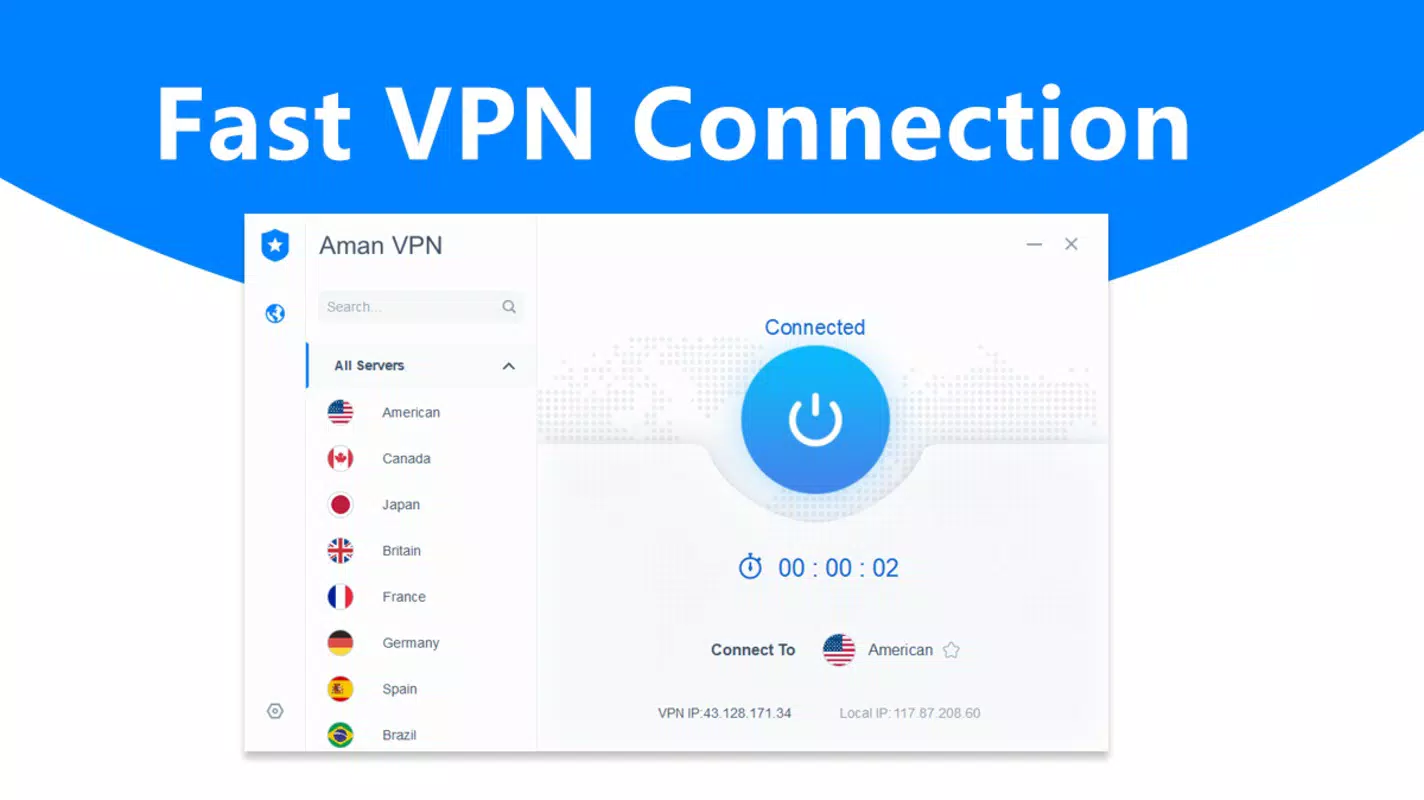
- One-Click Connection: Users can establish a secure VPN connection with a single click, minimizing setup time and simplifying access for non-technical users.
- Anonymous Browsing: The app routes internet traffic through encrypted servers, helping users conceal their IP address and location from websites and third parties.
- Bypass Geo-Restrictions: By connecting to servers in different regions, users can access content that is otherwise unavailable in their country, such as international streaming platforms.
- Public Wi-Fi Protection: AmanVPN encrypts data on unsecured networks, reducing the risk of interception by malicious actors.
- Unlimited Bandwidth: The app claims to offer unrestricted data usage, enabling extended browsing, streaming, and downloading without throttling.
- Fast Internet Speeds: Designed to maintain high performance, the app aims to deliver minimal latency and stable connectivity during use.
Real-world use cases include students accessing academic resources from abroad, remote workers securing their home office connections, and travelers watching region-specific content on platforms like Netflix or BBC iPlayer. The app’s compatibility with all Windows applications ensures that users don’t need to reconfigure individual programs to benefit from the secure connection. This makes it a practical tool for everyday digital activities where privacy and unrestricted access are priorities.
Interface, UX & Performance
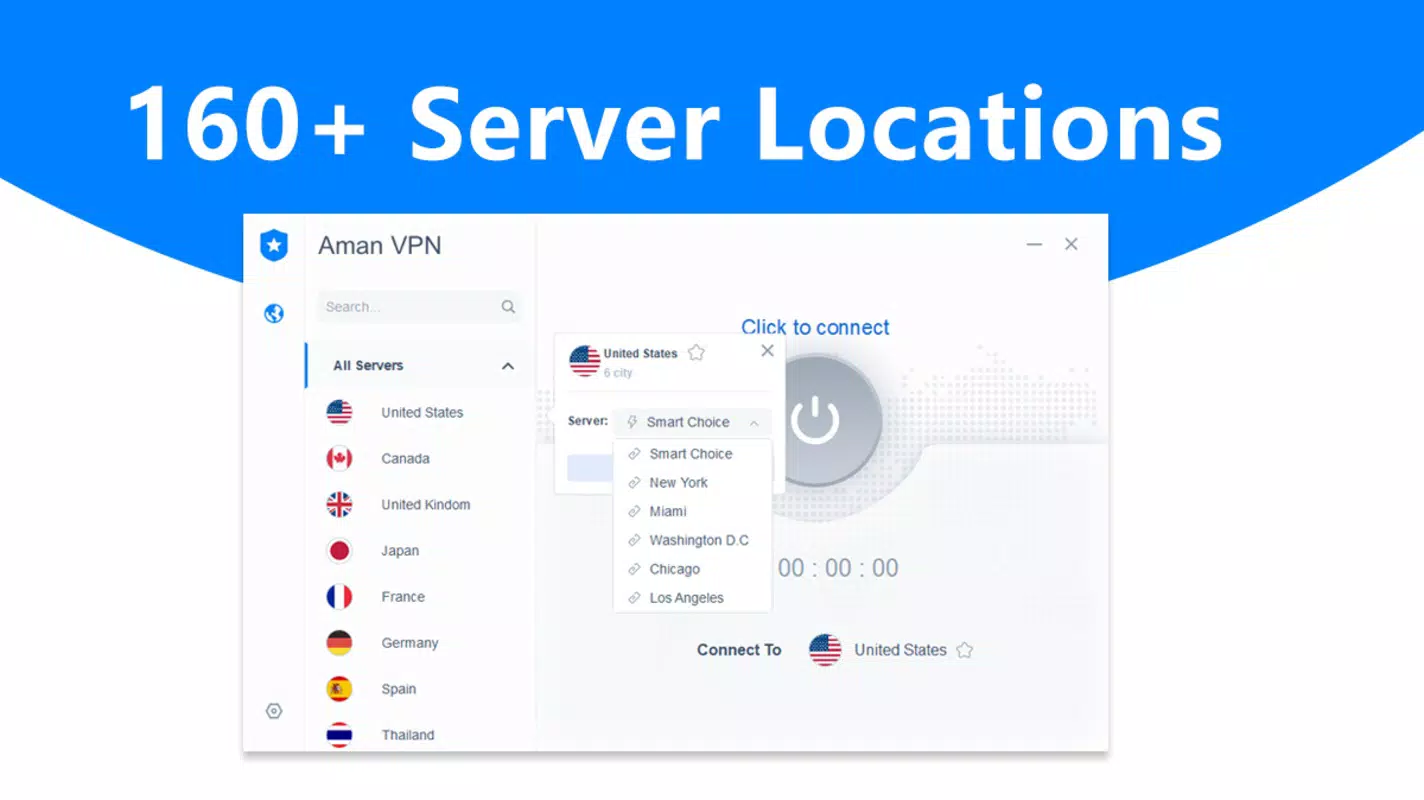
The user interface of AmanVPN Windows is described as minimalistic and focused on simplicity, aligning with its one-click functionality. The main screen likely features a prominent connect/disconnect button, with optional server selection or location indicators. Navigation appears to be intuitive, requiring no extensive onboarding or user training.
Visual design emphasizes clarity over ornamentation, with a clean layout that prioritizes essential controls. This approach supports quick decision-making and reduces cognitive load, especially during urgent privacy needs. The app’s responsiveness is expected to be consistent across various Windows device categories, including desktops and laptops, though specific performance benchmarks were not provided by the developer.
Although the developer did not list formal performance metrics, the app’s claim of fast internet speeds and unlimited bandwidth suggests optimization for real-time use. Stability during extended sessions and minimal background resource consumption are assumed based on its small file size of 2.1 MB. However, actual behavior may vary depending on network conditions, server load, and system configuration.
Platform Compatibility & Technical Requirements
AmanVPN Windows is designed exclusively for the Windows operating system. The current version is 2.0.0, with a file size of 2.1 MB, indicating a lightweight installation that requires minimal storage space. The app is available at no cost, with a free pricing model that removes financial barriers to entry.
Specific compatibility details, such as supported Windows versions (e.g., Windows 10, 11), minimum system requirements, or hardware specifications, were not disclosed by the developer. As such, users are advised to verify system compatibility before installation. The lack of detailed technical information may limit advanced users who require precise setup guidance or troubleshooting support.
Pros and Cons
Pros
- Free to download and use with no hidden costs
- One-click connection simplifies access for all user levels
- Designed for compatibility with all Windows applications
- Offers unlimited bandwidth and fast internet speeds
- Supports anonymous browsing and data encryption
- Small file size ensures quick installation and low storage impact
Cons
- Developer did not provide detailed technical specifications
- Minimum OS requirements were not listed
- No information on server locations or data logging policies
- Performance under heavy usage or poor network conditions is unverified
- Limited transparency regarding security protocols and encryption standards
FAQ
Is AmanVPN Windows safe to use?
The app claims to encrypt internet traffic and protect user data, but specific security protocols and privacy policies were not disclosed by the developer. Users should exercise caution when sharing sensitive information and consider reviewing the app’s permissions and network behavior.
Can I use AmanVPN on multiple Windows devices?
While the app is available for Windows, the developer did not specify whether a single account or license can be used across multiple devices. Users should check the official terms of service for details on multi-device usage.
Does AmanVPN Windows work with streaming services?
Yes, the app is designed to bypass geo-restrictions, which may allow access to region-locked streaming content. However, success depends on the streaming platform’s ability to detect and block VPN traffic.
How often is AmanVPN Windows updated?
The latest version is 2.0.0, released on April 12, 2024. The developer has not provided a regular update schedule, so users may need to manually check for new releases.
Is AmanVPN Windows compatible with Windows 10 and 11?
While the app is built for Windows, the developer did not specify which versions of the OS are supported. Users are encouraged to test compatibility on their specific system before installation.
Final Thoughts
AmanVPN Windows presents a straightforward, no-cost solution for users seeking enhanced online privacy and unrestricted internet access on the Windows platform. Its one-click functionality, small footprint, and claimed fast speeds make it accessible for both casual users and those with basic technical needs. While transparency around security practices and server infrastructure remains limited, the app fills a practical gap for individuals who prioritize anonymity and secure browsing without financial investment.
For users who value simplicity, speed, and affordability, AmanVPN Windows offers a compelling entry point into secure internet usage. However, those requiring advanced features, detailed logging policies, or enterprise-grade protection may need to explore alternatives with more comprehensive disclosures.
Download AmanVPN Windows now


